What can I do if I'm erroneously receiving the following error message from the official WhatsApp client:
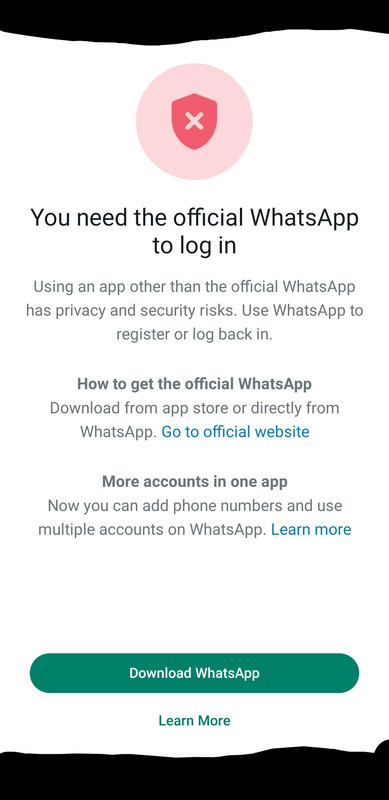
You need the official WhatsApp to log in
Using an app other than the official WhatsApp has privacy and security risks. Use WhatsApp to register or log back in.
How to get the official WhatsApp
Download from app store or directly from WhatsApp. Go to official websiteMore accounts in one app
Now you can add phone numbers and use multiple accounts on WhatsApp. Learn more
The thing is: I am running the official version of the WhatsApp app, and I'm at a loss of what I can do.
Steps to reproduce:
- Download and install the official WhatsApp client in the Aurora Store
- Open WhatsApp app
- Enter language
- Agree to Meta's WhatsApp ToS
- Enter my phone number
- Click
Next - Click
Yesto confirm the number is correct - Click
Not nowto prevent WhatsApp from accessing my SMS messages - See error message (above)
If I click the links to download WhatsApp, there is no .apk that I can diff from what what I have. It just sends me to Google Play, which opens in Aurora. Aurora is an open-source alternative frontend for Google Play. It is not a mirror. All packages downloaded through Aurora will be verified to be cryptographically signed by their publisher before it can be installed, so I'm certain that I am using the official WhatsApp client -- unless Meta's release signing key was somehow compromised.
I am running Android 11 (Lineage OS) on a Pixel 3a. This is a de-googled phone; Google Apps is not installed. I searched the Internet, and I found that WhatsApp works for plenty of users running custom ROMs (eg Lineage, GrapheneOS, etc) without needing gapps, so that shouldn't be the issue.
I thought about getting one of those dumb phones that can send WhatsApp messages, but are those official WhatsApp clients? Would they work, or would I have the same issue?
I first used this phone number to setup WhatsApp last week. After I sent 1 short message saying hello to a friend, I got banned "for spam". I appealed the decision in-app, and about 24-hours later, my account was restored (WhatsApp said it was banned by mistake, and apologized). In order to use my account, I needed to get another OTP. But, after entering my number to initiate getting a new OTP -- as soon as the window opens prompting me to enter the OTP -- I'm redirected to this error message (above). It's an endless loop.
Is this error actually appearing because WhatsApp doesn't know how to detect their own app?!? Or is it some "fake" error message used to disguise that I've been shadow banned?
What can I do to use WhatsApp?







