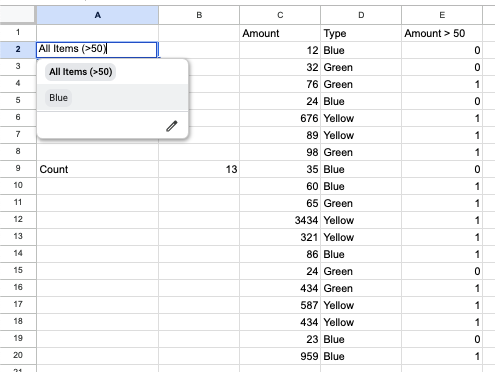
I have a sample dataset similar to the screenshot below in column C:E.
I am trying to have a formula that will return the total count (B9) based on the dropdown selection in A2.
If 'All Items' is selected, the formula will count all records that have value (C) that is >50. Count 13
If 'Blue' is selected, the formula will count all records that are 'Blue' in Type (D). Count 7
I have a helper column (E) to return TRUE if the Amount (C) is >50.
=ARRAYFORMULA(IF(C2:C>50,1,0))