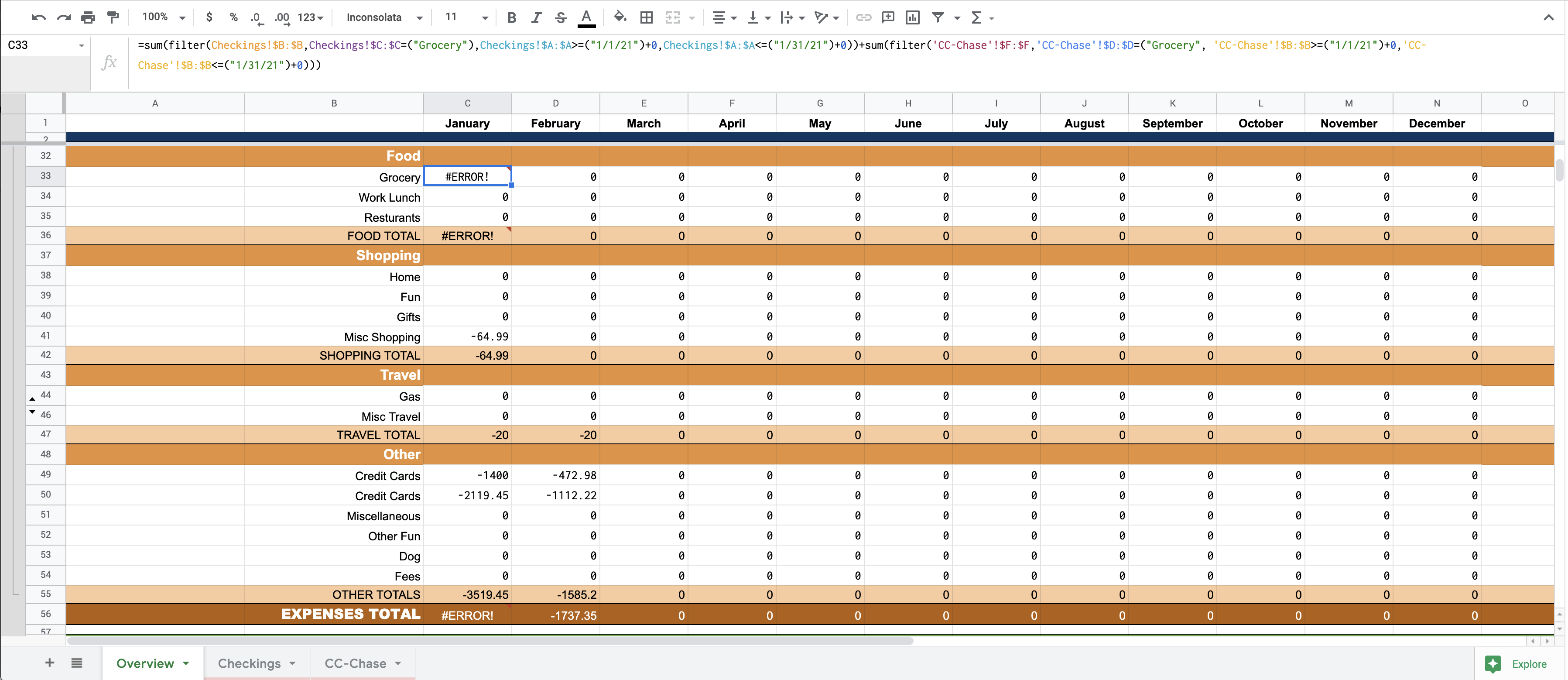
So I have a budgeting spread sheet. I have an overview page that I need to link to a "Checkings" sheet and a "CC-Chase" sheet.
To calculate the amount spent on a specific category that month I currently use:=sum(filter(Checkings!$B:$B,Checkings!$C:$C=("Grocery"),Checkings!$A:$A>=("1/1/21")+0,Checkings!$A:$A<=("1/31/21")+0))
I want to add in the same data from my credit card statments so I tried:=sum(filter(Checkings!$B:$B,Checkings!$C:$C=("Grocery"),Checkings!$A:$A>=("1/1/21")+0,Checkings!$A:$A<=("1/31/21")+0))+(FILTER('CC-Chase'!$F:$F,'CC-Chase'!$D:$D=("Grocery", 'CC-Chase'!$B:$B>=("1/1/21")+0,'CC-Chase'!$B:$B<=("1/31/21")+0)))
I have also tried:=sum(filter(Checkings!$B:$B,Checkings!$C:$C=("Grocery"),Checkings!$A:$A>=("1/1/21")+0,Checkings!$A:$A<=("1/31/21")+0))+sum(FILTER('CC-Chase'!$F:$F,'CC-Chase'!$D:$D=("Grocery", 'CC-Chase'!$B:$B>=("1/1/21")+0,'CC-Chase'!$B:$B<=("1/31/21")+0)))
But these gives me an error. I've tried a few other combinations of this but always get an error.
Link to sheet: https://docs.google.com/spreadsheets/d/15QhEB-Z0O-ZEEK1zGlJrhdZnfFrEg8PIIV6bS_MI08w/edit?usp=sharing
Does anyone know what I'm doing wrong or have another way I could do this?