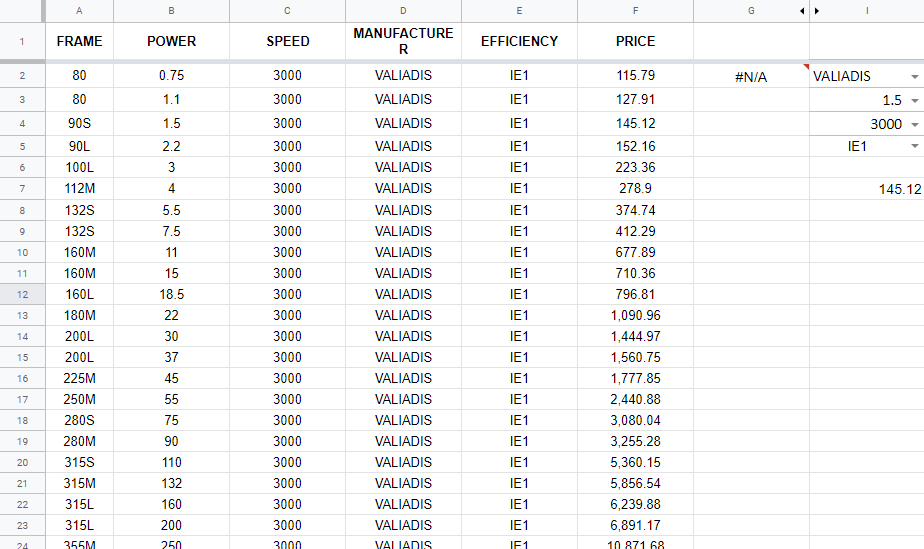
I have a Sheet with the prices of some products Each column is a parameter.
How to use the FILTER() function in order to filter by multiple conditions
In this case I need to filter and see only the rows where the Power=I3 and the Manufacturer=I2, I am sure that I have to use the FILTER(FILTER() f
This is what I managed to create:
=FILTER(FILTER(A2:F,B2:B=I3),D2:D=I2)
but it returns the following error :
Error
FILTERhas mismatched range sizes. Expected row count:7. column count:1. Actual row count:999, column count:1.
UPDATE: I managed to do it with
=FILTER(A2:F,IF(ISBLANK(A2),1,A2:A=A2)*IF(ISBLANK(D2),1,D2:D=D2))
But it becomes too long and not elegant. I am sure that there is a better way to do it.
Especially if I want to create more conditions for each column....